



Behind the Cloud: A Look Inside LPA’s Data Center
What Really Happens Inside a Data Center
(And Why LPA Chose Ours Carefully)
LPA offers cloud hosting to our clients, which means, somewhere out there, your data lives in a data center. That's a sentence a lot of people hear and immediately picture something bad: a humming warehouse full of blinking lights, draining the power grid and guzzling water in someone's backyard.
Our team recently toured one of these facilities firsthand, and what we found didn't match the reputation at all. We wanted to share what we learned, both to clear up some common myths, and to explain why we feel genuinely good about where we host your data.
You've Probably Driven Right Past One
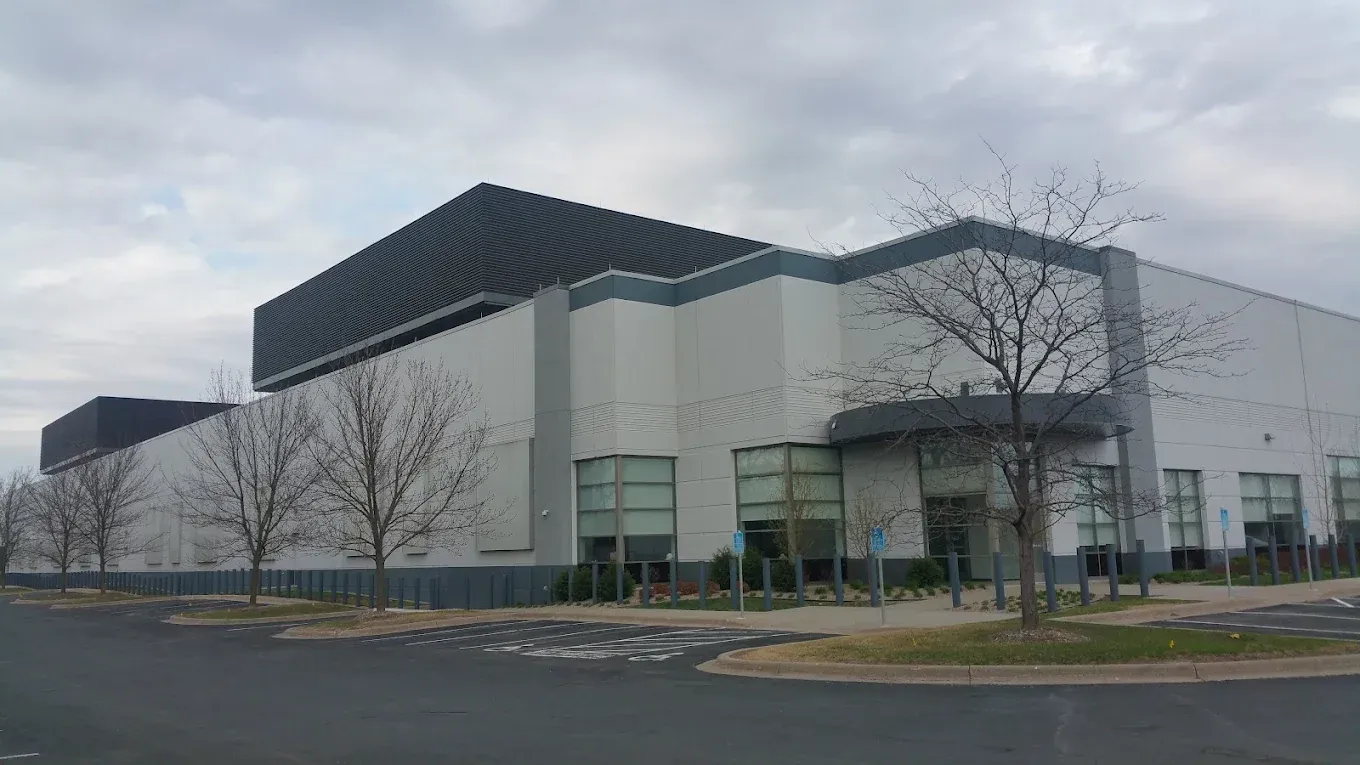
Here's the first surprise: data centers don't look like what you'd expect. One of the facilities we host with sits in a quiet neighborhood in Eagan. Another, the largest of its kind in Minnesota, is in downtown Minneapolis, directly across from US Bank Stadium. If nobody told you it was a data center, you'd never guess. No smokestacks, no visible machinery, no clue. It just blends into the skyline like any other office building.
That matters, because a lot of the assumptions people make about data centers come from imagining them, not from seeing them.
Myth: More Electricity Means More Pollution
When people hear that a data center pulls a significant amount of power, they often assume that means smoke, emissions, and strain on the environment. But it's worth separating two things: electricity use and pollution.
The backup generators on-site are exactly that: backup. They aren't running as the primary power source; they exist for emergencies and are tested briefly on a schedule.
Myth: Data Centers Waste Enormous Amounts of Water
This one's understandable, because a lot of people picture the giant cooling towers used at nuclear power plants, the ones that release visible plumes of water vapor, and assume every large facility works the same way.
It doesn't. The data center we tour and host with uses a closed-loop cooling system, the same way your car's radiator works. The coolant circulates, cools the equipment, and recirculates. There's no evaporative cooling tower releasing water into the air. Functionally, it's closer to a home air conditioner than a power plant. No wasted water, no open-loop evaporation.
The lesson here is a good one to sit with generally: you can't judge every facility by the one image of a cooling tower you've seen once. Not all cooling systems work the same way, and assuming they do leads to the wrong conclusion.
Myth: Hosting Your Data Elsewhere Drives Up Electricity Use
If your data isn't in a data center, where does it live? Somewhere. A server closet. A desktop computer left running 24/7, and that computer is still using electricity, just less efficiently, and less visibly.
Data centers work on the same principle as commercial air travel: one large, well-managed system replacing dozens of smaller, less efficient ones. Instead of 25 individual computers running in 25 different offices, each with its own power draw, its own cooling needs, its own inefficiencies, a data center consolidates that load onto shared, optimized infrastructure. One well-run system doing the work of many actually reduces total energy use, even though the single system looks bigger on paper.
An Important Distinction: AI Data Centers Are Not the Same Thing
It's worth calling out directly, because the two get lumped together in the news: a data center built to run AI workloads is fundamentally different than the kind of hosting data center LPA uses.
A single AI-dedicated graphics card can draw roughly the energy of five computers, because those facilities are built to maximize raw compute power. That is not what our hosting environment is designed to do. We're not trying to maximize anything, we're trying to keep your data secure, accessible, and hosted efficiently at a reasonable cost. Our data center partner has the same incentive we do: keep costs controlled, which means keeping energy and resource use controlled too.
It's Quieter Than You'd Think
One of the more memorable parts of touring the Eagan facility was how quiet it was outside. There was no constant hum or mechanical whir, just the ordinary sounds of the surrounding neighborhood. You would likely hear more noise from traffic pulling away from a stoplight than from the data center itself.
For another example, consider the data center located across from U.S. Bank Stadium in downtown Minneapolis. Tens of thousands of people pass it on Vikings game days, often without realizing what the building houses. If data centers created the level of noise people sometimes imagine, a facility in such a busy, public location would quickly become a well-known problem. Instead, it blends quietly into the city around it.
What's Actually Inside
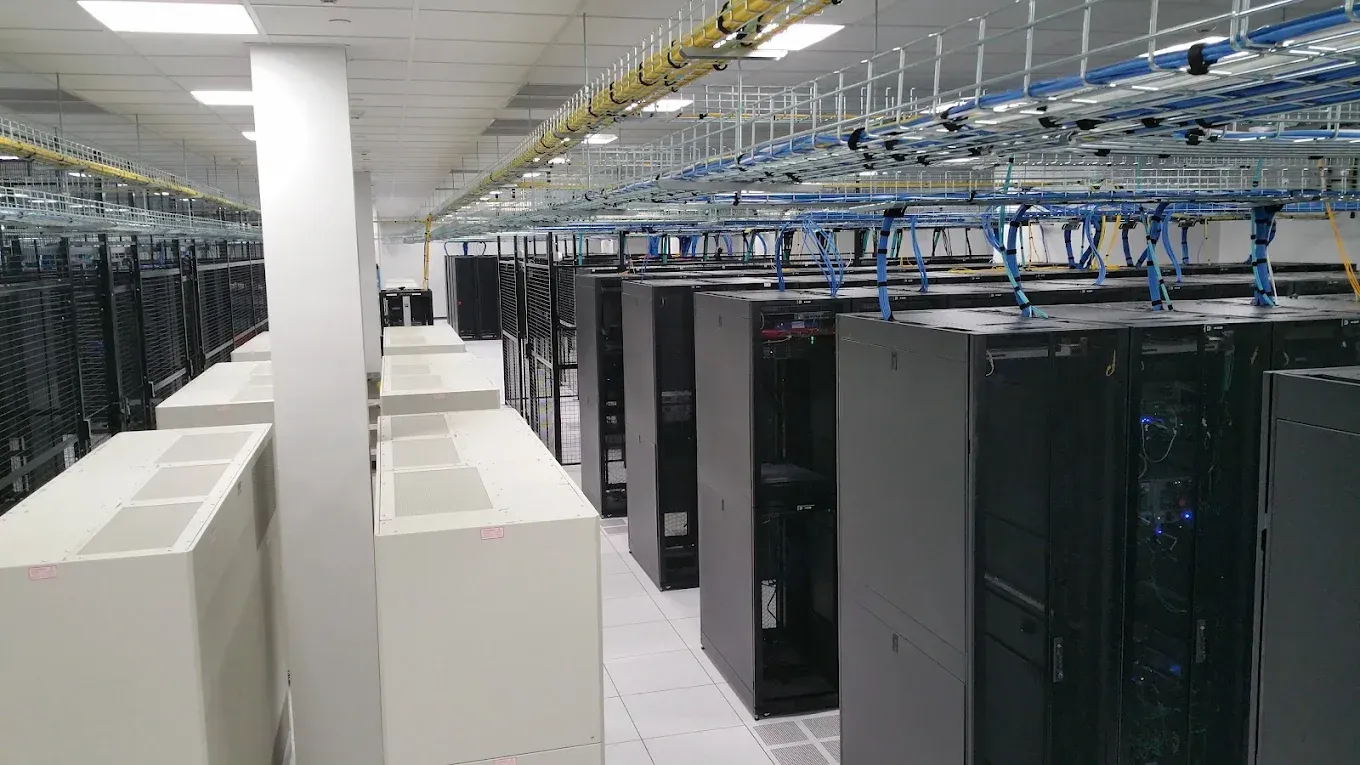
Walk through the door and it's almost anticlimactic: white floors, white ceilings, and rows of racks and cages. Each cage belongs to a different company, keeping systems physically separated and secure.
The clever part is in the details. Server racks are fitted with plastic, ribbed privacy-style screens, not for privacy at all, but for airflow. They direct cool air precisely toward the servers that need it, rather than letting the air conditioning cool the entire room inefficiently. It's a small design choice that adds up to a meaningfully more efficient system.

Power You Can Count On
Every serious data center needs backup power, and this one tests its systems quarterly. But the way they do it is worth explaining, because it's more elegant than "flip on a diesel generator."
The facility uses a flywheel system, essentially a heavy wheel that spins continuously, drawing an extremely small amount of power to "keep it charged." If the main power goes out, that spinning motor instantly converts into a generator, providing power in the critical seconds before the diesel backup generators even need to kick in. It's an efficient bridge that means the diesel generators run less often, better for cost, and better for emissions.
Why This Matters for LPA Clients
Commercial data centers like the ones we partner with have a straightforward incentive: keep operating costs down. That means constantly looking for smarter, more efficient systems, not because it's trendy, but because it's good business. Efficient cooling, efficient power backup, and efficient space use all translate into lower costs, which is exactly aligned with what we want for our clients.
When LPA hosts your data, you're not handing it off to an anonymous warehouse. You're placing it with a partner that has the same priorities we do: security, reliability, and doing it without wasting water, without unnecessary pollution, and without driving up costs unnecessarily.
Your Data Stays Protected and Private
Security and privacy are just as important as reliability. Your data is protected through secure infrastructure, controlled physical access, and safeguards designed to prevent unauthorized access. LPA does not sell your data or share it for advertising purposes. We host and manage it solely to provide and support the services your business relies on. Your business data remains your data, and we take our responsibility to protect it seriously.
See It for Yourself
Our data center partner genuinely enjoys giving tours, and we'd love to arrange one for you. If you're curious, or if any of this challenges what you thought you knew about data centers, reach out and we'll set up a firsthand look. Sometimes the best way to trust a system is to walk through it yourself.
Interested in learning more about how LPA hosts and secures your data? Get in touch with our team, we're happy to talk through it, or set up a tour so you can see it in person.



Share On: